4D Polytope Viewer
Interactive stereo viewer for 4D polytopes: the tesseract (hypercube), the 5-cell (simplex), the 16-cell and the 24-cell, plus an ordinary cube to start with. Rotate them in all six 4D planes and see the depth as stereo pairs or with a wiggle. Source code and full documentation on GitHub.
RMB + mouse wheel: rotate ZW · LMB + RMB together, drag left/right: rotate XY
Wheel or pinch: zoom · Coloured axes in the lower-left corner of each image: fixed global axes (+X right, +Y up, +Z toward the viewer, +W toward the 4D observer)
Two depths, two cues: the edge colour (blue far, red near) shows one depth axis and the edge thickness (thin far, thick near) shows the other, so Z and W can be told apart. Cell buttons switch the highlighted cells on and off; fill opacity sets how strongly they are tinted. The checkbox hides the edges (and fills) of cells that face away from the 4D observer, like hidden lines of a 3D solid; it has no effect on the flat 3D cube.
Hands-free rotation at a steady speed, so you can watch what changes. Click a plane to cycle off → + → −. Each column is a pair of completely orthogonal planes: switch on both planes of a column for a double rotation, or combine several columns. Dragging with the mouse still works on top. Speed is in degrees per second.
Motion parallax: the viewpoint swings back and forth, so near parts move more than far ones. In variant 1 (3D stereo) the wiggle shows the 4D depth W; in variant 2 (4D stereo) it shows the 3D depth Z. Amplitude is the size of the swing, frequency its speed. The swing can go horizontally, vertically, or around a circle (clockwise or counter-clockwise).
How strong the perspective is. The 3D field of view controls the usual perspective along Z (near things look bigger); the 4D field of view does the same along W. A smaller angle puts the camera farther away and flattens the picture.
Settings of the stereo pairs. Parallel viewing: the left eye looks at the left image; cross-eyed: the opposite. Image spacing is the gap between the two images of a pair, pair spacing the gap between the two variants, and stereo strength how different the two images are (more strength = deeper but harder to fuse).
What is a 4D polytope viewer?
A 4D polytope is the four-dimensional relative of a polygon or a polyhedron. This page draws the tesseract (hypercube, 8-cell), the 5-cell (4D simplex), the 16-cell and the 24-cell as wireframes, lets you rotate them in all six rotation planes of four-dimensional space, and shows their depth as stereo pairs (3D with the naked eye) or as a wiggle (motion parallax). An ordinary cube is included as a familiar starting point.
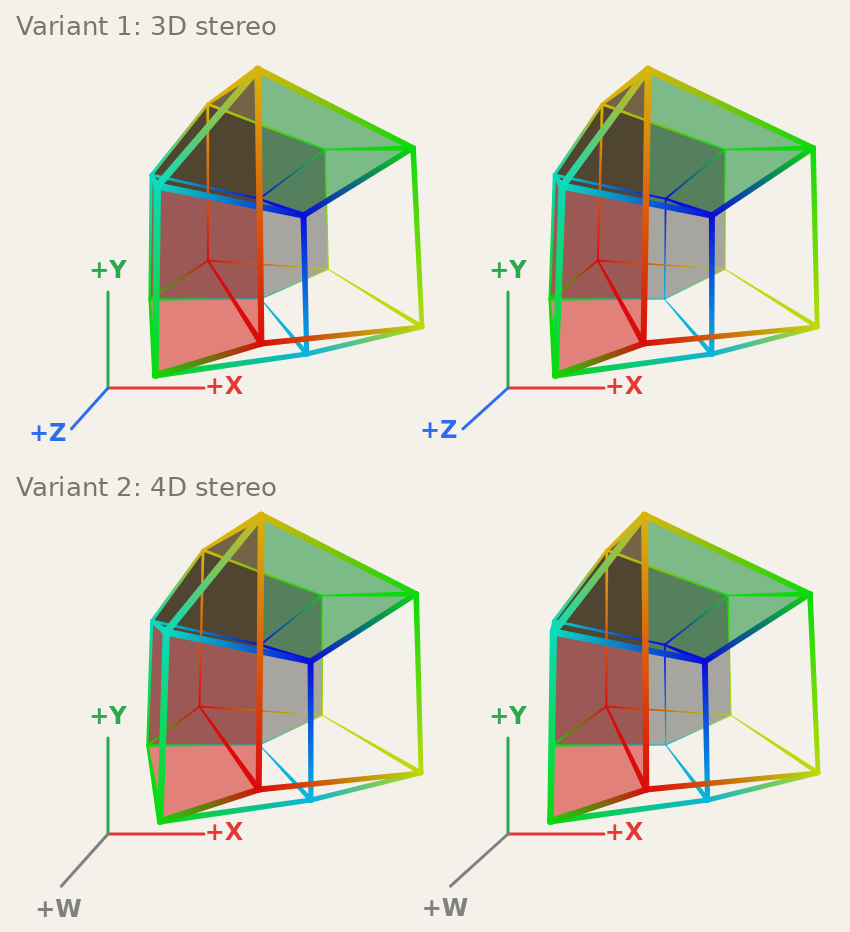
How to see the fourth dimension: stereo pairs and wiggle
The page shows two stereo pairs, each made of a left and a right image. Use whichever method suits you:
- Parallel viewing (default): relax your eyes as if looking through the screen at something far away, until the two images drift together into a third, central one. The left eye must end up seeing the left image.
- Cross-eyed viewing: cross your eyes slightly until the images overlap (the left eye then sees the right image). Choose Cross-eyed under the Stereo pair tab.
- Wiggle: no stereo skill needed. Switch on Wiggle and watch the camera swing back and forth; near parts move more than far ones.
If fusing the images is hard, reduce Image spacing (the centres of the two images should be no farther apart than your eyes) or lower Stereo strength.
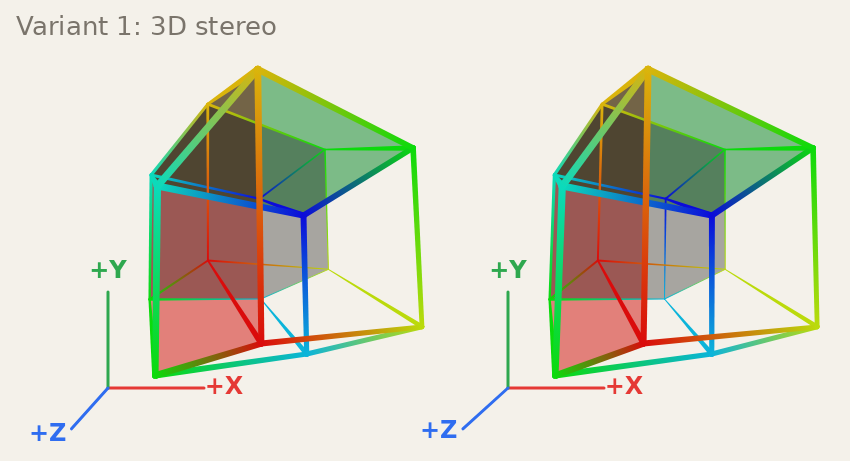
Rotating in 4D: the six rotation planes
In 3D there are three independent rotation planes (XY, XZ, YZ). In 4D there are six: XY, XZ, YZ, XW, YW and ZW. The last three turn the figure “through the fourth dimension”. Drag with the left mouse button for XZ and YZ, with the right button for XW and YW, and use right button + wheel for ZW.
The planes come in orthogonal pairs (XY with ZW, XZ with YW, YZ with XW). Turning both planes of a pair at the same time gives a genuine double rotation, something with no 3D counterpart: no point of the figure stays fixed. Switch it on in the Auto-rotation tab.
Two depths at once: Z and W
A 4D figure has two depth directions: Z (toward you in the 3D picture) and W (toward the 4D observer). Stereo and wiggle each show depth, and the brain tends to merge the two. To keep them apart, the viewer gives each its own cue: edge colour (blue far, red near) shows one of them, edge thickness (thin far, thick near) shows the other. The Cue mapping switch decides which is which. A point that is far in Z but near in W comes out blue yet thick: two depths that disagree, now visible as two separate things.
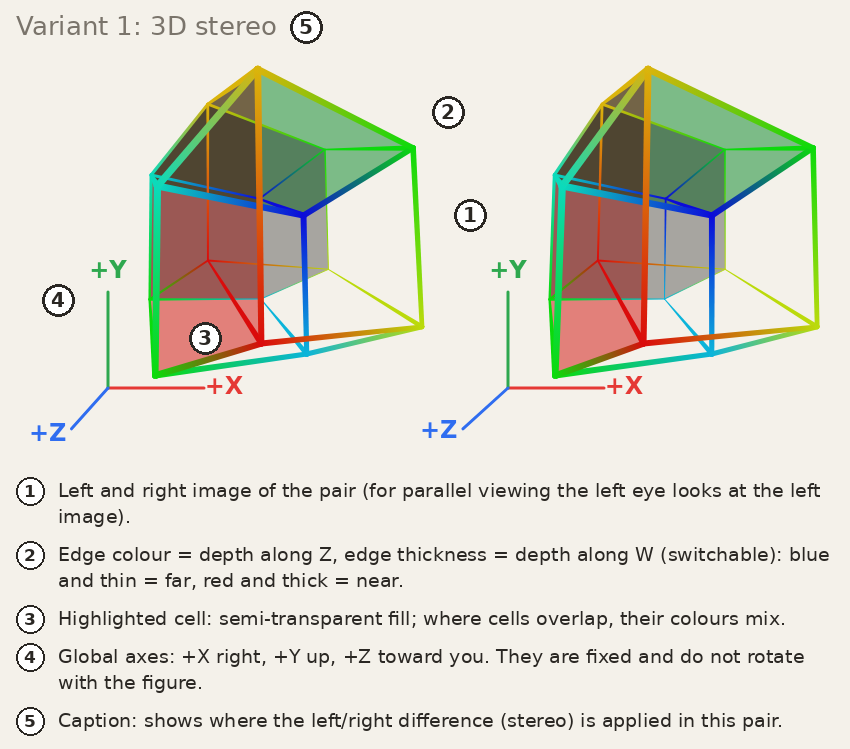
You can also highlight individual cells (the 3D “faces” of a 4D figure) with semi-transparent fills, and hide the edges that a 4D observer could not see, the same way a 3D observer cannot see the back faces of a solid.
The figures
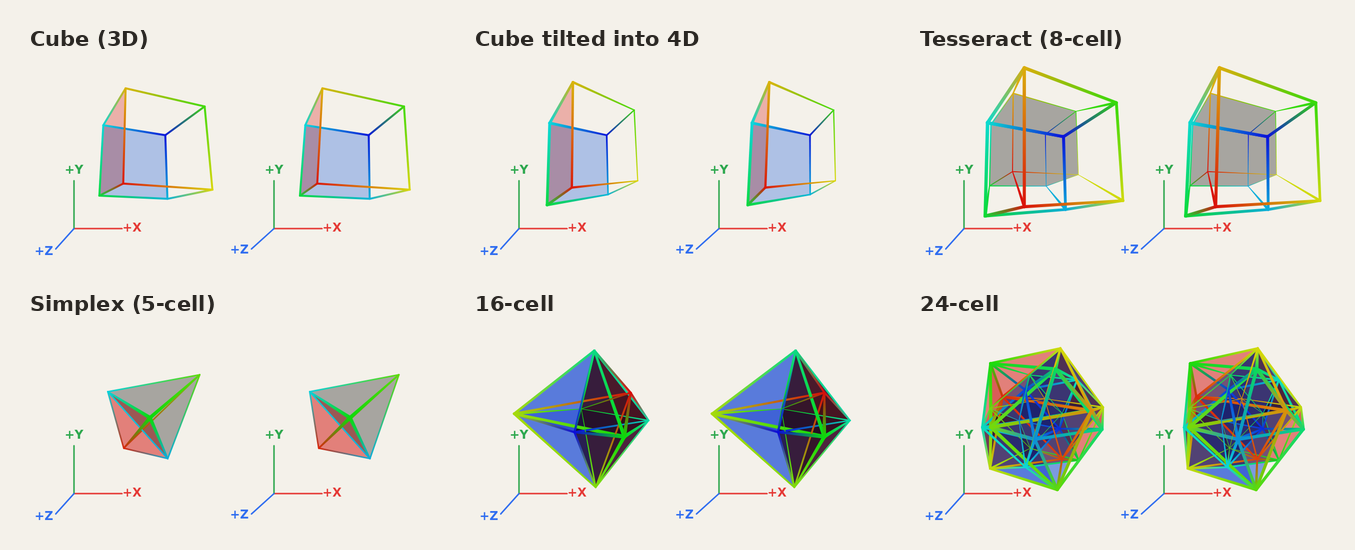
| Figure | Vertices | Edges | Faces | Cells |
|---|---|---|---|---|
| Cube (3D) | 8 | 12 | 6 squares | 1 cube |
| Tesseract (8-cell, hypercube) | 16 | 32 | 24 squares | 8 cubes |
| 5-cell (4D simplex) | 5 | 10 | 10 triangles | 5 tetrahedra |
| 16-cell (cross-polytope) | 8 | 24 | 32 triangles | 16 tetrahedra |
| 24-cell | 24 | 96 | 96 triangles | 24 octahedra |
How it works
- Orientation. The figure’s orientation is a 4×4 rotation matrix. Each drag multiplies it by a small rotation in one coordinate plane, and the matrix is re-orthonormalised every time so rounding errors never build up.
- Double projection. Every 4D point goes through two perspective steps: 4D → 3D (a camera on the W axis) and 3D → 2D (a camera on the Z axis). The two field-of-view sliders set the strength of each step.
- Stereo. Each image of a pair is drawn by a camera shifted sideways. In the top pair the shift is in the 3D step, in the bottom pair it is in the 4D step, so the bottom pair shows depth along W as ordinary stereo depth.
- Wiggle. The same camera offset, equal for both eyes and oscillating in time, applied to the step that carries no stereo shift.
- Hidden edges. The cells of a convex polytope are found automatically from its vertices, and a cell counts as visible when it faces the 4D camera.
No libraries, no build step, no network access: the whole viewer is one self-contained HTML file. The full documentation and the code map are in the README on GitHub.
Frequently asked questions
What does a tesseract look like in 3D?
A shadow of a tesseract, like the shadow of a cube on a wall, depends on the direction of the light. Projected cell-first it looks like a small cube inside a bigger cube, joined by six stretched cubes. Rotate it through XW, YW or ZW and the inner cube turns inside out.
Why do I need both colour and thickness?
Because a 4D figure on a 2D screen has two hidden depths. One cue for each depth lets you tell them apart instead of seeing a single blurred depth.
Does it work on a phone?
Yes: one finger rotates in 3D and two fingers pinch to zoom. Rotation through the fourth dimension needs a right mouse button, but the auto-rotation tab can turn any 4D plane on a touch screen.